
Every year, millions of laptops, phones, and computers get tossed out over problems that a bit of patience and the right guide could have fixed. This introduction to electronics repair walks you through the basics, so you can start troubleshooting your own devices with confidence.
Why Learn Electronics Repair?
Professional repairs add up fast. A simple battery swap or loose connection can cost you $50–$150 at a shop, even though the fix itself often takes less than 30 minutes. Learning basic electronics repair also means:
- You save money on common, low-risk fixes
- You extend the life of devices instead of replacing them
- You reduce electronic waste, one repair at a time
- You gain a skill that pays off again and again
Not every repair is DIY-friendly, though. This guide also helps you recognize when it’s time to call a professional instead.
Common Problems in Electronics Repair You Can Diagnose at Home
Most device issues fall into a handful of categories. Once you recognize the pattern, diagnosis gets much faster.
Power Issues
A device that won’t turn on usually points to one of three things: a dead battery, a faulty charging cable, or a failing power port. Start with the cheapest, easiest checks first — try a different cable and outlet before assuming the worst.
Battery Drain
If a device dies faster than it used to, the battery has likely degraded. This is normal after 2–3 years of daily use. Our Battery repair guides cover how to confirm this and what to do next.
Overheating
Dust buildup, blocked vents, and aging thermal paste are the usual culprits. Overheating devices often throttle performance or shut down unexpectedly to protect themselves.
Slow Performance
Before assuming hardware failure, rule out software causes: too many background programs, a full storage drive, or an outdated operating system. Our Computer repair guides and Laptop repair guides go deeper into this.
Connectivity Problems
Wi-Fi drops, Bluetooth pairing failures, and signal loss are common across nearly every category of device. Check our Router & Networking guides if the issue traces back to your home network rather than the device itself.
Essential Tools for DIY Electronics Repair
You don’t need a full workshop to get started. A basic kit covers most beginner repairs. For a deeper look at repairability standards across brands, check iFixit’s repairability scores, a trusted independent resource.
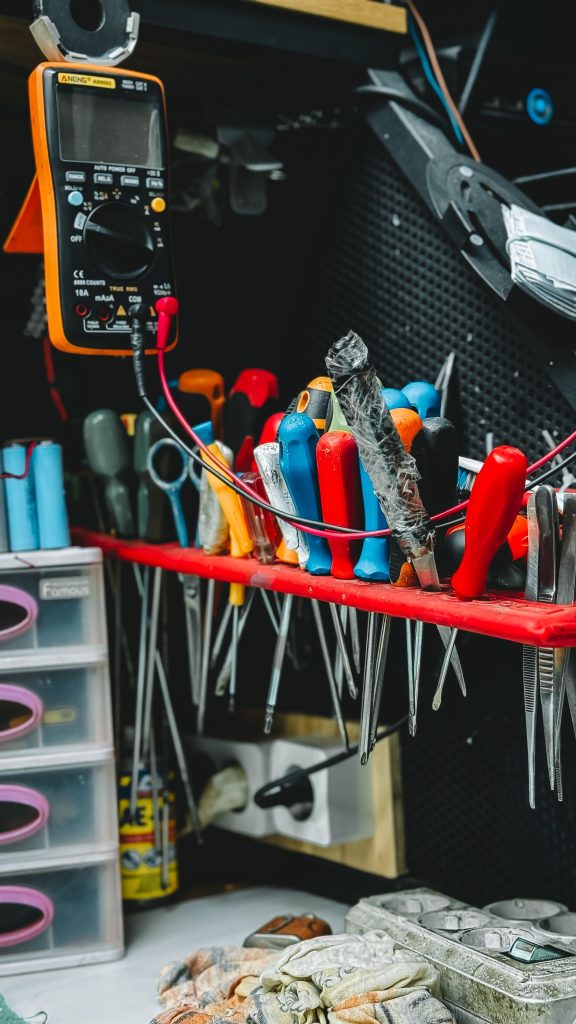
- Precision screwdriver set — most devices use tiny Phillips or Torx screws
- Plastic pry tools and spudgers — for opening cases without scratching or cracking them
- Anti-static wrist strap — protects sensitive components from static discharge
- Multimeter — helps diagnose power and connectivity issues
- Compressed air — clears dust from vents, fans, and ports
- Isopropyl alcohol (90%+) and lint-free cloths — for safely cleaning contacts and connectors
Most of these tools cost under $30 combined and last for years.
Electronics Repair vs. Replace: How to Decide
Not every device is worth fixing. Before you start, weigh these factors:
| Factor | Lean toward repair | Lean toward replace |
|---|---|---|
| Device age | Under 3–4 years | Over 5–6 years |
| Repair cost | Under 30% of replacement cost | Over 50% of replacement cost |
| Issue type | Battery, screen, single component | Multiple failing parts |
| Availability of parts | Parts are easy to find | Parts are discontinued |
As a rule of thumb, if the repair costs less than a third of a new device and takes under an hour, it’s almost always worth attempting.
Safety Tips Before You Start Any Repair
- Always power off and unplug the device first
- Discharge any built-up static electricity before touching internal components
- Never attempt to repair a swollen battery — replace it instead, and dispose of it properly
- Keep screws organized by step; a magnetic mat or labeled containers save real headaches
- If you smell burning or see visible damage to a battery, stop immediately and consult a professional
When to Call a Professional Instead
Some repairs carry real risk and are worth leaving to someone trained. Reach out to a professional if you notice:
- A swollen or leaking battery
- Water damage on a device that still won’t respond after drying
- Motherboard-level issues that require soldering
- Any repair still under manufacturer warranty, where DIY work could void your coverage
Start With a Simple Fix
The best way to build confidence with electronics repair is to start small. Pick a device with a well-defined problem, browse our device-specific guides below, and work through it step by step:
- Battery Repair Guides
- Computer Repair Guides
- iPhone Repair Guides
- Laptop Repair Guides
- Router & Networking Guides
- Tablet Repair Guides
With the right tools and a bit of patience, most everyday electronics problems are far more fixable than they first appear.